Need to combine multiple images into one file for a presentation, product showcase, document, or personal project?
The Merge JPG tool helps you combine multiple JPG images into a single, high-quality image in just a few clicks. It is useful for creating before-and-after product comparisons, combining identity documents, organizing product photos, and preparing visual guides.
By merging JPG files, you can make image handling faster and more convenient. Instead of managing several separate images, you can create one clean and organized file that is easier to share, store, and use.
Whether you are a student compiling notes, a business preparing product visuals, a designer creating mockups, or someone organizing personal photos, an online Merge JPG tool can simplify your workflow.
In this guide, we’ll explore 10 practical uses for a Merge JPG tool and how it can make everyday image tasks easier.
Table of Contents
Combining Scanned Documents Into One Image
Scanned documents are often saved as separate image files, making them difficult to organize, share, and review. Identity documents, receipts, certificates, invoices, and handwritten notes can create unnecessary clutter when stored as multiple JPG files.
Students can combine scanned assignments or study notes into one image, while businesses can organize receipts, forms, and important records in a single file. This makes uploading, storing, and sharing documents easier while keeping related pages together without using complex editing software.
Creating Before-and-After Comparison Images
Before-and-after images are an effective way to showcase changes, improvements, and results. Whether highlighting product upgrades, design changes, renovation work, or personal progress, combining two images into one file makes comparisons easier to understand.
Businesses can use side-by-side comparison images to show product improvements, designers can present revisions, and professionals can create visual progress reports. Merged JPG images also work well for presentations, social media posts, portfolios, and marketing materials without requiring advanced editing software.
Creating Product Showcase Images for Online Stores

Online shoppers depend on product images to understand features, details, and variations before making a purchase. Combining multiple product photos into one JPG image helps sellers create a clear and organized visual showcase.
E-commerce businesses can merge front, back, side, and close-up product views to highlight important details in one place. This creates more professional product listings for online stores, marketplaces, and promotional materials without requiring complex design software.
Combining Screenshots for Tutorials and Guides
Screenshots make tutorials, software guides, and how-to instructions easier to understand, but multiple separate images can make the process harder to follow. Combining screenshots into one organized JPG file creates a clear visual flow for readers.
Content creators, educators, businesses, and developers can use merged screenshots to explain software steps, troubleshooting processes, and product instructions. A structured image layout makes guides easier to share, understand, and create without relying on complex editing tools.
Preparing Images for Social Media Posts
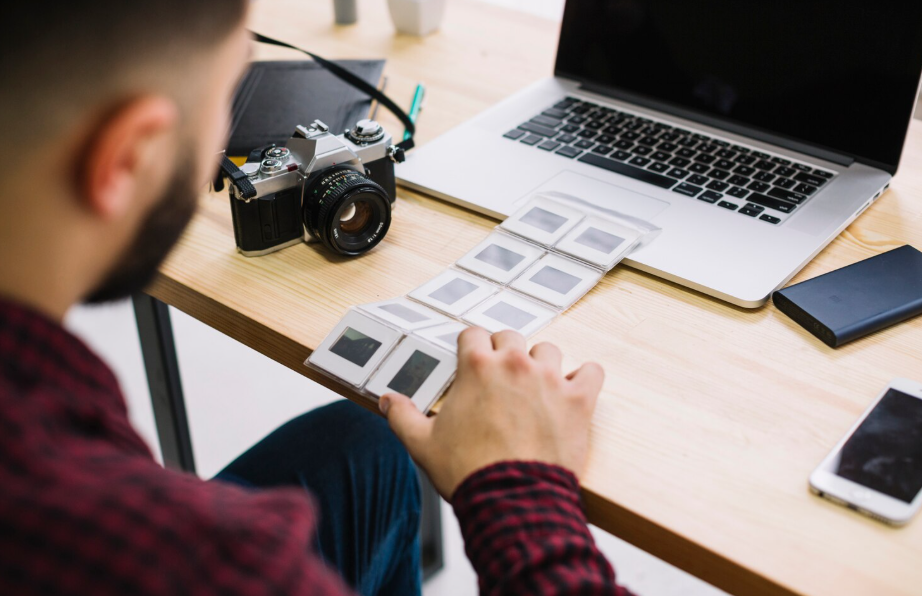
Social media content becomes more engaging when multiple visuals are combined to tell a complete story. Whether it’s a product highlight, travel recap, event update, or comparison post, merging images into one file makes content easier to share and organize.
Creators, marketers, and businesses can combine photos into a single JPG image for social media banners, promotional graphics, photo collages, and visual summaries. A clean image layout helps present more information while maintaining a professional appearance.
Creating Portfolio Samples
A well-organized portfolio helps professionals showcase their skills and creative work more effectively. However, sharing multiple separate images can make a presentation feel scattered and less polished.
Designers, photographers, artists, and freelancers can combine project samples into a single JPG image to create visual summaries for clients and employers. A clean layout makes portfolios easier to share through websites, emails, presentations, and social media while presenting work more professionally.
Submitting Multiple Images to Online Forms
Many online forms and application portals allow only one image attachment, making it difficult to submit multiple JPG files separately. Combining images into a single JPG file keeps related documents together and simplifies the upload process.
This is useful for submitting identity documents, certificates, receipts, and application materials. A single organized image reduces file clutter, prevents missing pages, and makes digital submissions faster and more convenient.
Making Presentation Visuals

Presentations often include multiple images, screenshots, and visual references that can make slides look cluttered when added separately. Combining related visuals into a single JPG image helps create cleaner and more organized presentation materials.
Professionals can use merged images for reports, marketing presentations, and client demonstrations, while educators can combine diagrams and learning materials into one visual. This creates a more consistent layout and helps audiences understand information quickly.
Creating Instruction Manuals and How-To Guides
Instruction manuals and how-to guides often use images to explain steps, processes, and product usage. Combining screenshots, diagrams, or product images into one JPG file helps create clear and organized visual instructions.
Businesses can use merged images for installation guides, product manuals, and customer support materials, while creators can prepare easy-to-follow tutorials. A structured image layout keeps related visuals together and makes information easier to understand.
Organizing Personal Photos and Memories

Personal photos capture valuable moments, but managing multiple image files can become difficult over time. Combining related photos into one JPG file makes it easier to create organized collections, share memories, and reduce file clutter.
Whether it’s a family event, vacation, or special milestone, photos can be arranged into a single collage for digital albums, greeting cards, social media posts, or personal keepsakes. A clean photo layout keeps memories together and makes them easier to save and revisit.
How to Merge JPG Images Online?
Merging JPG files is quick and easy. Follow these simple steps to combine multiple JPG images into a single high-quality file online:
- Open the Merge JPG tool by visiting: https://www.mergejpg.pro/
- Upload your JPG images by clicking the upload button or dragging and dropping multiple files at once.
- Choose the preferred layout style, such as horizontal (side by side) or vertical (top to bottom).
- Click the “Merge JPG” button to combine your images instantly.
- Preview the merged image and download the final JPG file to your device.
Conclusion
From organizing scanned documents and creating product showcases to designing social media visuals and preserving personal memories, a JPG merger tool offers a simple way to handle multiple images more efficiently. By combining separate JPG files into one organized image, users can save time, improve file management, and create visuals that are easier to share and present.
Whether used for business, education, creative projects, or everyday tasks, merging JPG images helps simplify many common workflows. Instead of dealing with scattered image files, a single merged JPG provides a cleaner and more convenient solution.
With the right image arrangement and layout, a Merge JPG tool makes it easier to create professional-looking visuals without the need for complicated editing software.